
If customers can check out in other currencies, you don't need separate discounts per currency.
Automatic conversion
Every amount you enter (cart thresholds, fixed amounts off, fixed prices, maximum eligible rates) is in your store's currency. At checkout, it's converted to the customer's currency using Shopify's exchange rate.
For example, if your store uses AUD and the threshold is $100, a customer paying in NZD needs roughly the NZD equivalent of A$100.
Fixed amounts per currency
For Cart total and Cart subtotal, you can set exact thresholds per currency instead. Under the amount, tick Set fixed amounts per currency, then use Add currency for each one, for example USD 75 and GBP 60.
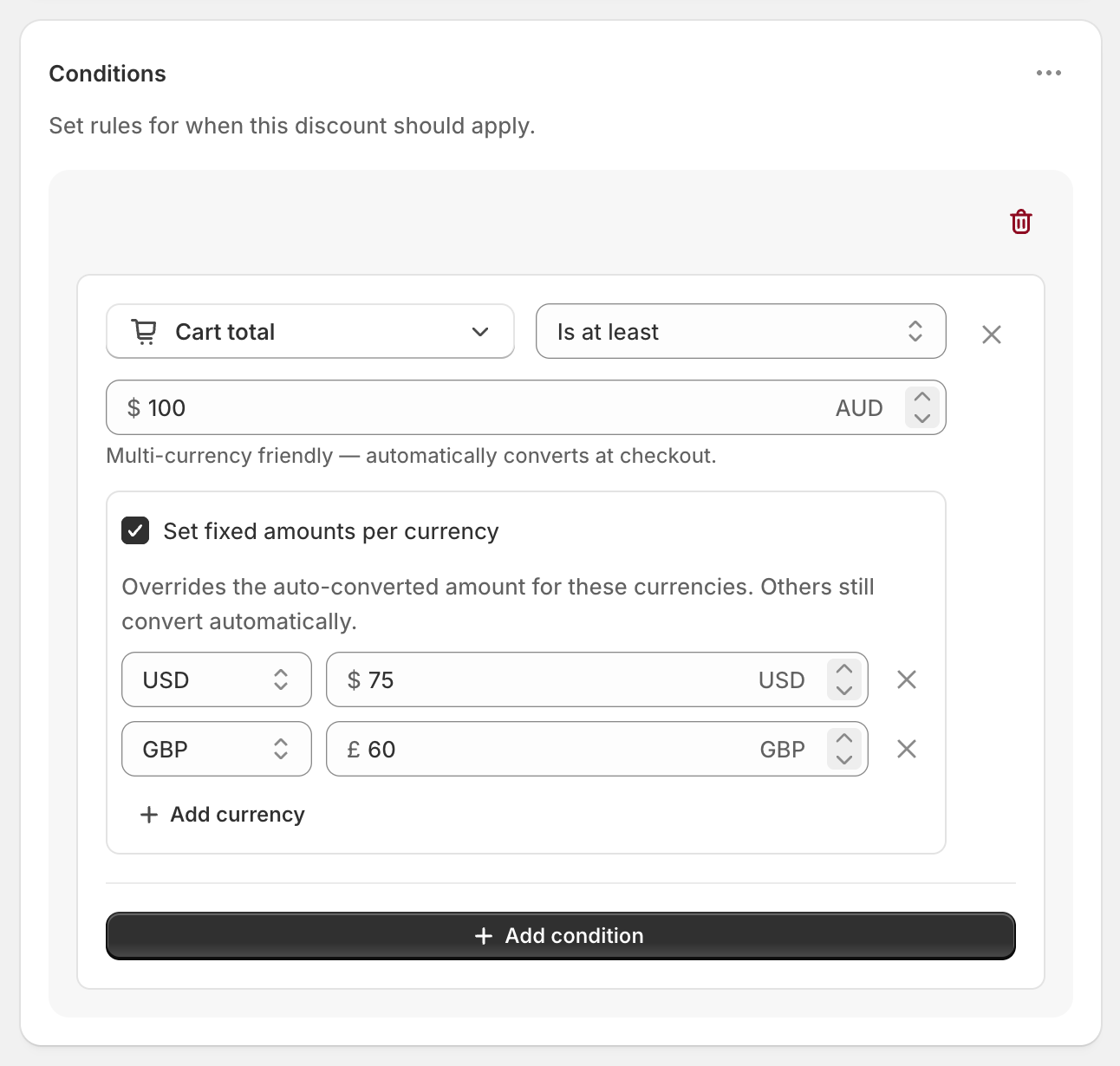
Currencies you set use your exact amount. Every other currency still converts automatically.
This option only appears when your store has more than one currency enabled.
Tips
Use Is at least rather than Is equal to for money amounts. Converted amounts rarely land on an exact number.
Collection cost conditions convert automatically but don't have per-currency amounts.