
Operators: Matches any of, Does not match.
Add codes one at a time: type a code, then press Enter or a comma. You can also paste a list separated by commas or new lines.
Syntax
Exact:
2000matches only 2000.Wildcard:
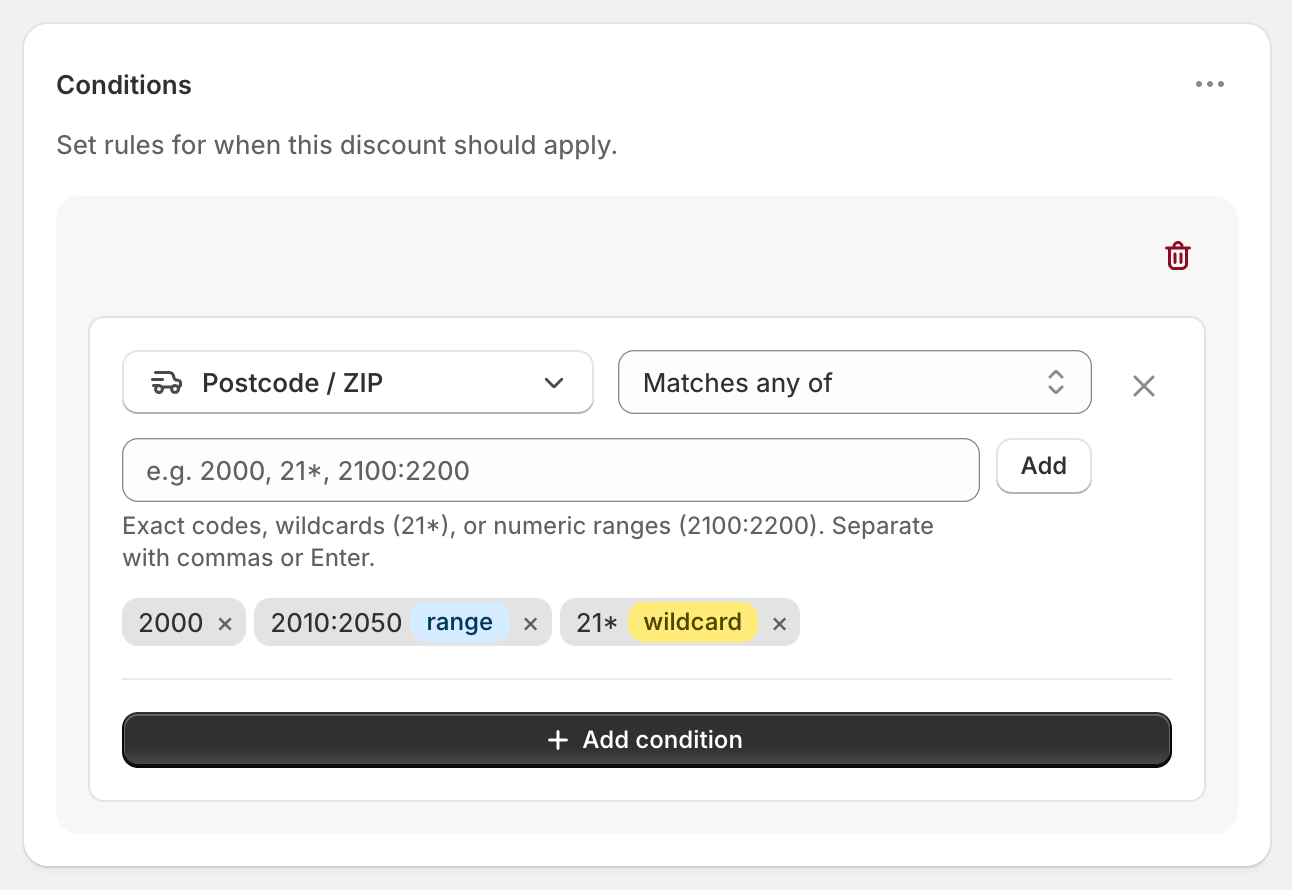
20*matches anything starting with 20 (2000, 2010, 2099…). The*only works at the end.Range:
2000:2234matches every number from 2000 to 2234. Use a colon, not a hyphen.2000-2234won't work.
Spaces and upper/lower case are ignored, so m5v 2t6 matches M5V2T6.
Each code you add shows a range or wildcard badge when it's recognised as one. No badge means it only matches that exact code, so if 2000-2234 has no badge, it isn't being treated as a range.
Examples
Sydney metro (AU):
2000:2234Melbourne metro (AU):
3000:3207One US ZIP area:
941*A Canadian area:
M5V*A UK area:
SW1*
Check these against your own delivery area before relying on them.
Good to know
Keep lists short. Shopify limits how much a discount can hold, and thousands of individual postcodes can stop it working. Use ranges and wildcards instead.
Ranges are numbers only. They work for numeric postcodes (Australia, the US and most of Europe) but not for letter-based ones (Canada, the UK). Use wildcards for those.
US ZIP+4 codes such as
94107-1234don't match an exact94107or a range. Use94107*.Leading zeros are ignored in ranges, so
01000:01999behaves like1000:1999.Before the address is entered, Matches any of doesn't match and Does not match does.