
There are two product conditions:
Product in cart: matches whole products, so any variant counts.
Variant selector: matches only the variants you pick, for example only the "Large" size.
Operators
Contains: at least one selected product is in the cart. Other items are fine.
Contains (all): every selected product is in the cart. Good for bundles: "Product A and Product B".
Contains (any / strict mode): at least one selected product is in the cart, and nothing else. One other item and the discount doesn't apply.
Does not contain: none of the selected products are in the cart.
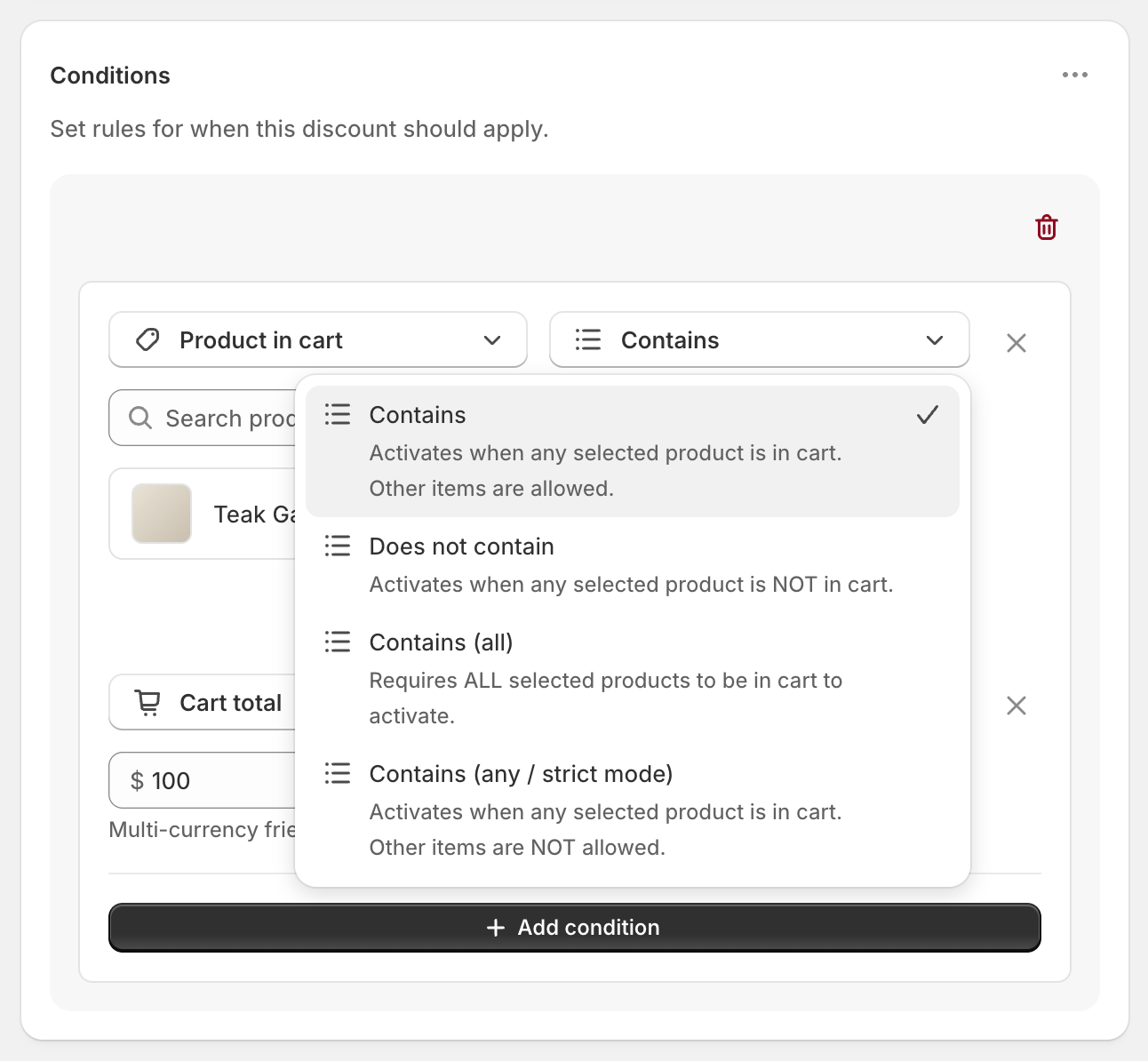
Strict mode counts everything in the cart, including add-ons like shipping protection, gift wrap or an automatic free gift. Add those products to your selection, or the discount won't apply when they're in the cart.
Shopify bundles: select the bundle product itself, not the products inside it.
Selecting products
Search, or click Browse to open Shopify's product picker.
In Variant selector, choosing every variant of a product matches the whole product, including variants you add later. Choosing some variants matches only those.
Limits
Up to 150 products per condition.
With a lot of products selected, a warning appears because the condition can stop working. Use a Product collection condition instead: put the products in a collection and target the collection.
Variant selections use more space than whole products. If you've picked every variant of many products, use Product in cart instead.
To target by product tag, create a smart collection based on the tag and target the collection.
Examples
Free shipping on a heavy item: Product in cart Contains Garden Bench.
Free shipping when buying a set: Product in cart Contains (all) Shampoo, Conditioner.
Samples ship free, but only on their own: Product in cart Contains (any / strict mode) Sample Pack.