
Both conditions need Shopify to know who the customer is, so they only work for customers signed in to their account at checkout. Guest checkouts behave differently, as described below.
For groups of customers, including guests, Customers → Specific customer segments is often the better tool. Shopify matches segments by the email or phone number entered at checkout.
Customer tag
Matches tags on the customer's Shopify profile, such as VIP or Wholesale.
Contains: the customer has at least one of the tags.
Does not contain: the customer has none of the tags.
Is exactly: currently works the same as Contains.
Type a tag and press Enter, or pick from the suggestions.
Guests: a guest has no tags, so Contains never matches a guest and Does not contain always does. "Everyone except Wholesale" therefore includes guests, and a wholesale customer who checks out with a different email gets the discount.
Combining tags: each Customer tag condition checks only its own tags. For "VIP but not Blocked", add Contains VIP and Does not contain Blocked to the same rule group.
Customer order count
How many orders the customer has placed before. Operators: Is equal to, Is less than, Is greater than, Is at most, Is at least.
Returning customers: Is at least 1.
Loyal customers: Is at least 5.
Guests never match an order count condition, whatever the number. Test orders don't count toward it either.
First-order free shipping (works for guests)
Don't use Customer order count for this. Use a Shopify customer segment instead:
In the discount, go to Customers and choose Specific customer segments.
Select Customers who haven't purchased (Shopify creates this segment for you).
Save.
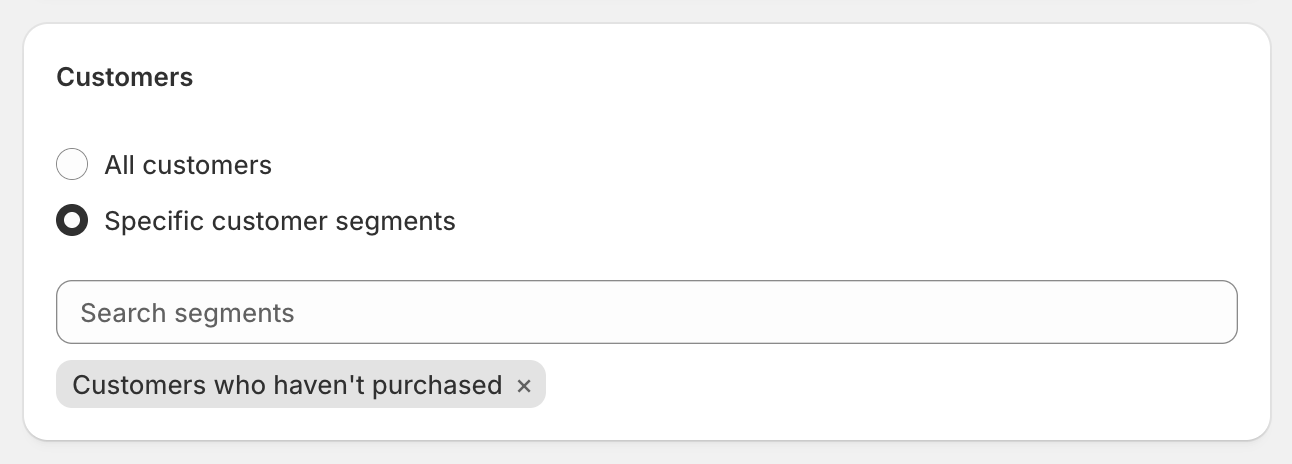
Shopify checks segments using the email or phone number entered at checkout, so this works for guests as well as signed-in customers. A shopper whose email already has an order won't get it.
Testing
Sign in to a test customer account at checkout, and use ABC123 as the first name if the discount is in Test mode.