
Test mode lets you try a discount on your live store without customers seeing it.
How it works
With Test mode on, the discount only applies when the shipping address first name is ABC123 (not case-sensitive). Everyone else checks out normally.
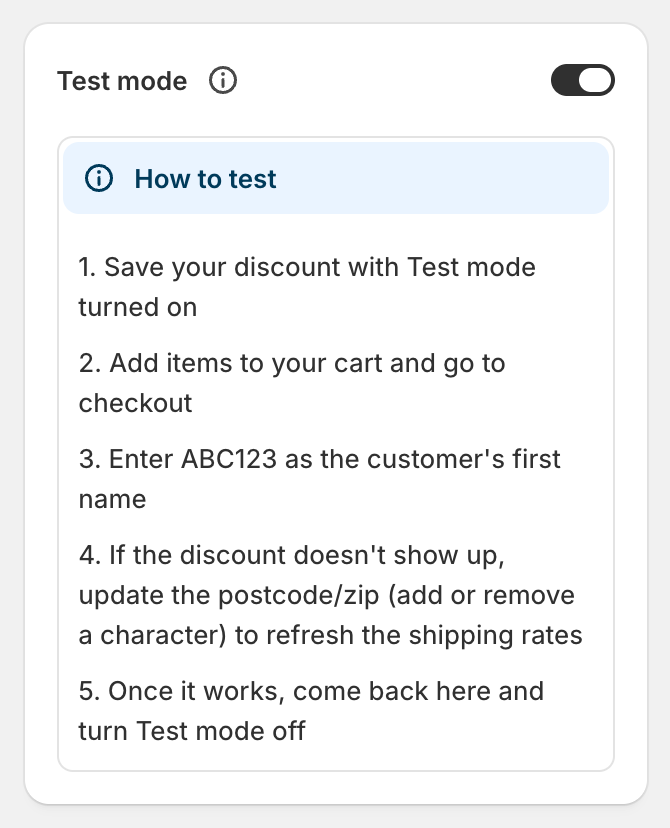
How to test
Open the discount, switch on Test mode in the right-hand column, and save.
On your storefront, add items to the cart and go to checkout.
Enter ABC123 as the first name in the shipping address, and fill in the rest of the address.
Check the shipping rates. The discounted rate shows the original price crossed out.
Discount not showing? Change the postcode by one character and change it back. That makes Shopify refresh the shipping rates.
What to check
Just below and just above your threshold. For "Cart total is at least $100", try $99 and $100.
With a discount code applied, if your threshold is meant to be after discounts.
Each rule group separately, if you have more than one.
Addresses inside and outside any location conditions.
Good to know
Customer tag and order count conditions only match signed-in customers. Sign in to a test customer account at checkout.
Code discounts still need the code entered, even in Test mode.
Other live discounts still apply during your test, so you see the same result a real customer would.
A test-mode discount still counts toward Shopify's limit of 25 active automatic discounts.
Test mode works as a pause button. Turning it on hides a live discount from customers without deleting it.
Going live
When you're happy, open the discount, switch Test mode off and save. It applies to customers straight away.