
A shipping discount answers two questions: when does it apply, and what gets discounted?
Conditions: when it applies
Conditions sit inside a rule group.
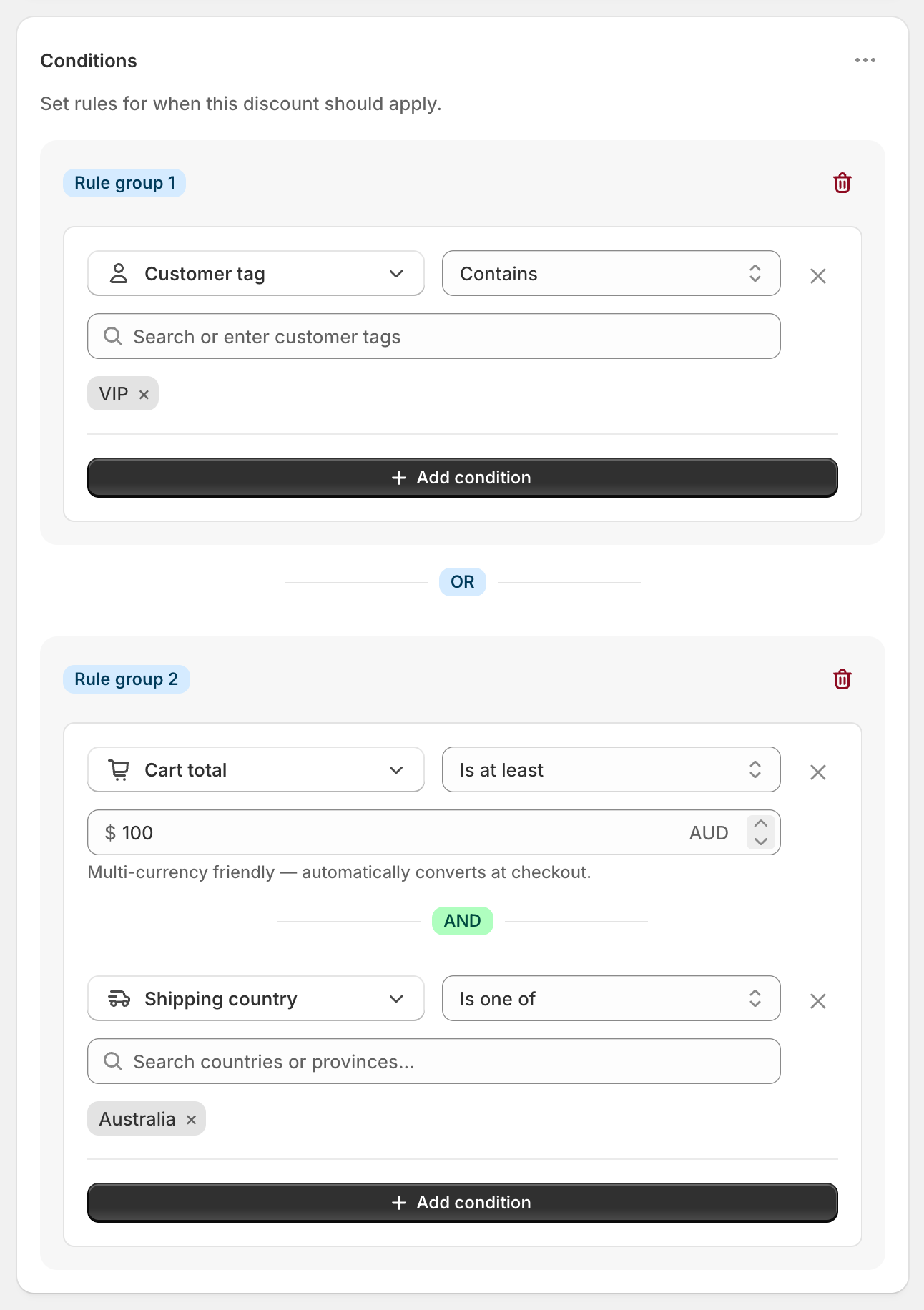
Every condition in a rule group must be true (AND). For example, "Cart total is at least $100" AND "Shipping country is one of Australia" means a $120 order to Australia qualifies, but a $120 order to New Zealand doesn't.
No conditions means the discount applies to every order.
Rule groups: alternative ways to qualify (OR)
To add another way to qualify, open the ⋯ menu on the Conditions card and choose Add rule group. The groups are joined with OR: any one group being true triggers the discount.
Example:
Rule group 1: Customer tag contains VIP
OR Rule group 2: Cart total is at least $100 AND Shipping country is one of Australia
VIP customers get free shipping on any order, and everyone else gets it on orders over $100 shipped to Australia.
All rule groups share the same delivery discounts. If you want different rewards (for example free shipping over $100 but $10 off over $50), create separate discounts. When a customer qualifies for several, Shopify gives them the one that saves the most.
Delivery discounts: what gets discounted
In Discount setup, each delivery discount sets:
Delivery type: Shipping or Local delivery.
Which rates: all, the cheapest, or specific rates. See Choose which rates to discount.
Discount value: Free, Percentage, Fixed Amount Off or Fixed Price. See Discount types.
To discount different rates differently in one discount, use the ⋯ menu on Discount setup and choose Add delivery discount. For example, make Standard free and take $10 off Express. Every delivery discount uses the same conditions.
Don't point two delivery discounts at the same rate. Only one discount can apply to a rate, and you can't control which one wins.
Tips
"Product A and Product B" fits in one condition: use Product in cart with Contains (all).
Location conditions need the shipping address, so they're checked once the customer has entered it.