Updated October 2026
Short answer: Shopify's free shipping discount makes every rate free, express included. To make only your standard rate free, you need a shipping discount that targets rates by name. In RM: Advanced Free Shipping, choose Choose specific rates, select your standard rate, and express stays full price.
The free shipping discount (Discounts → Create discount → Free shipping) makes every rate free when it applies. Its only rate control is Exclude shipping rates over a certain amount, which filters by price, not by name.
Excluding rates over an amount only works while express always costs more than standard. Live carrier rates change with weight and distance, so a heavy order's standard rate can cost more than a light order's express rate.
A free rate in Shipping and delivery ("Offer free shipping" above a minimum order amount) works when the offer is the same for everyone that rate covers. It can't be limited to a discount code, a group of customers, dates or what's in the cart.
In the app, click Create Shipping Discount and choose Automatic discount or Discount code.
Under Conditions, add Cart total Is at least 100, or your own threshold. Leave Conditions empty to make standard shipping free on every order.
Under Discount setup, choose Shipping, then Choose specific rates, and select your standard rate from the list.
Set Discount value to Free, then click Create discount.
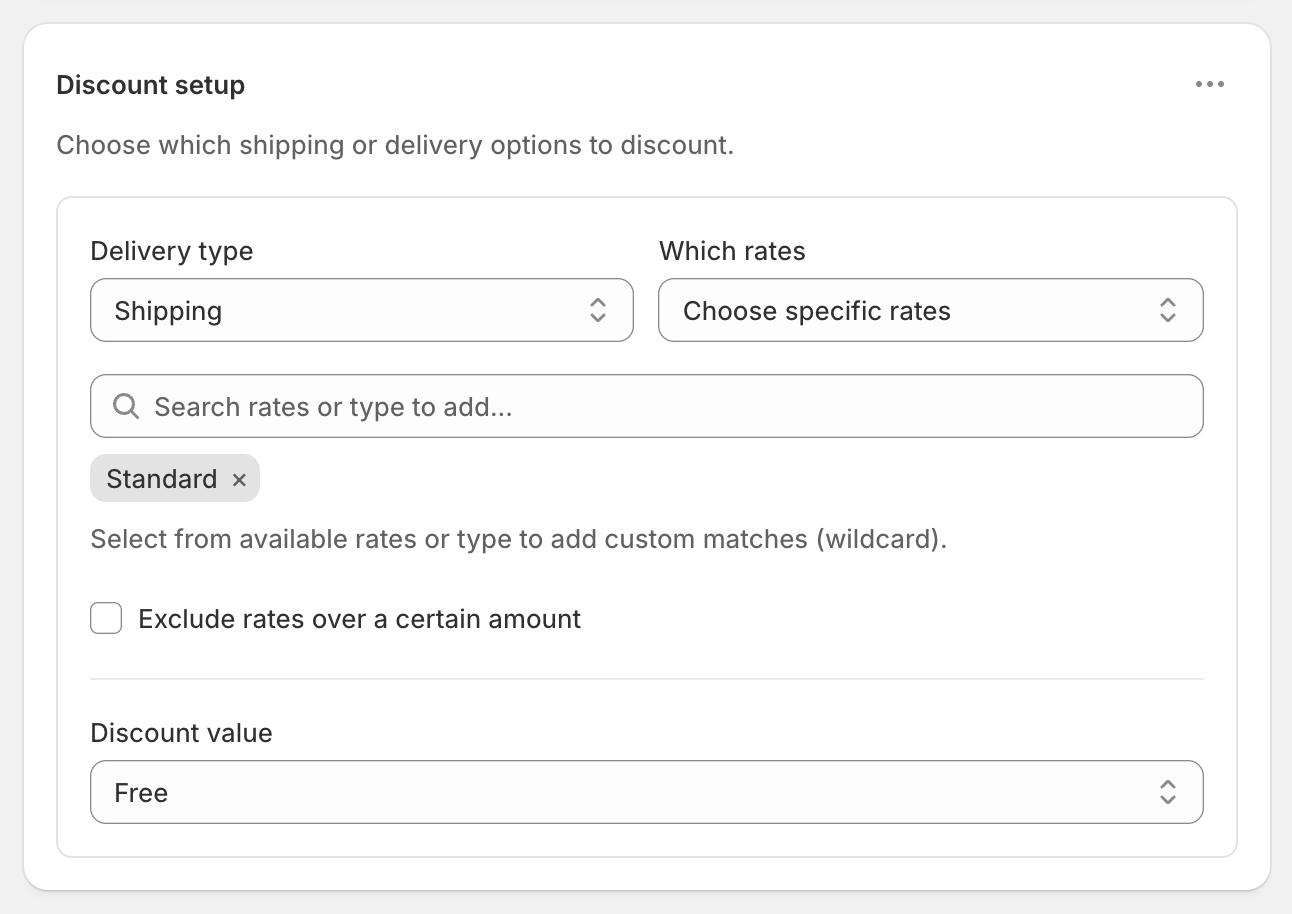
Express, overnight and every rate you didn't select stay full price.
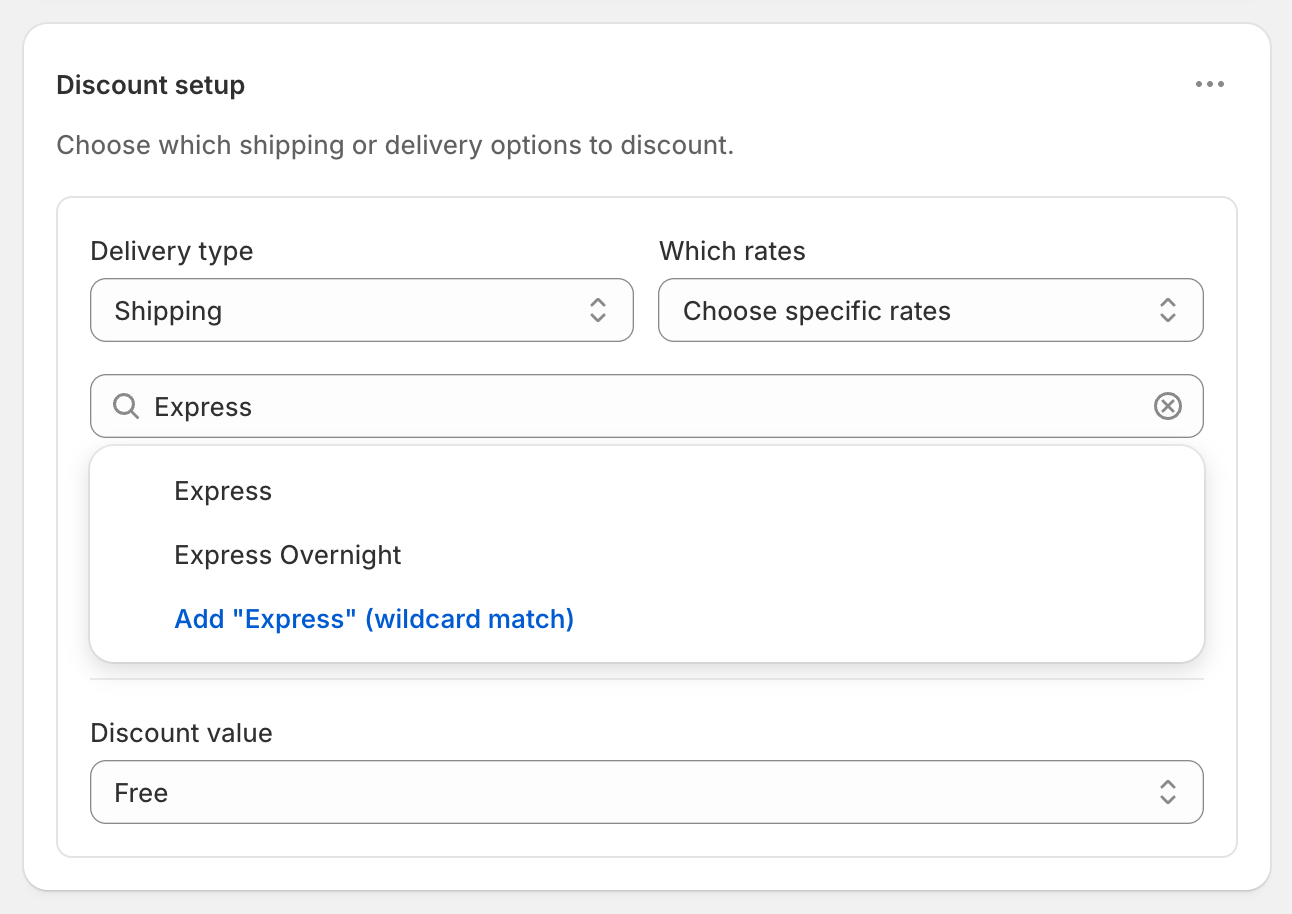
Carrier rates often show a slightly different name at checkout, such as "UPS® Ground" or "Standard (3–5 business days)". Type a keyword like "Ground" or "Standard" and choose Add "Standard" (wildcard match). It matches every rate whose name contains that word, ignoring upper and lower case. See Choose which rates to discount.
Free standard and $10 off express: in the ⋯ menu on Discount setup, choose Add delivery discount, select your express rate and set Fixed Amount Off 10.
Free on whichever rate is cheapest: choose Cheapest shipping rate instead. The cheapest rate is worked out at checkout, so this works with live carrier rates.
Only with a code, for example in a welcome email: choose Discount code and use that code in the email.
Only in some countries or states: add Shipping country or Province / State conditions. See Free shipping by state, ZIP code or postcode.
Discounts apply to whole rates. Customers who choose express pay its full price.
If a $0 rate already shows (for example a free rate from your shipping settings), there's nothing left to discount, and Cheapest shipping rate picks that $0 rate.
Try it before customers see it with Test mode.
Can I make standard shipping free with a discount code instead?
Yes. Choose Discount code when you create the discount. The code then makes only the rates you selected free.
Does it work with USPS, UPS, FedEx, Australia Post or Canada Post rates?
Yes. Live carrier rates can be targeted by name like any other rate. If the name varies at checkout, use a wildcard keyword such as "Ground".
Will customers still see express shipping?
Yes, at its normal price. The app discounts rates and never hides them.
What if standard sometimes costs more than express?
Targeting by name ignores price, so standard stays free and express stays full price whatever each one costs.
